
How to Install Third-Party Apps on BYD DiLink 5.0+
A step-by-step guide to enabling ADB and sideloading apps on your BYD or Denza vehicle.
What is ADB Enablement?
ADB (Android Debug Bridge) unlocking gives you full control over your BYD's infotainment system. Once unlocked, you can install any Android app — sentry mode, dashcam recording, wireless CarPlay for Chinese phones, and more.
Why doesn't BYD allow this by default? BYD restricts third-party apps for safety and warranty reasons. But for many owners, the factory apps don't cover everything they need — especially for features like parking surveillance and entertainment.
Step 1: Check Compatibility
Region or spec of car doesn't matter — follow step 2, if a QR code appears, then it's 100% compatible! If it says IMEI and ENTER PASSWORD, not compatible as the car is running a lower version of DiLink.
Known incompatible (AU/NZ): Atto 1, Atto 2, Atto 3, Seal, Sealion 6
Step 2: Access the QR Code Page
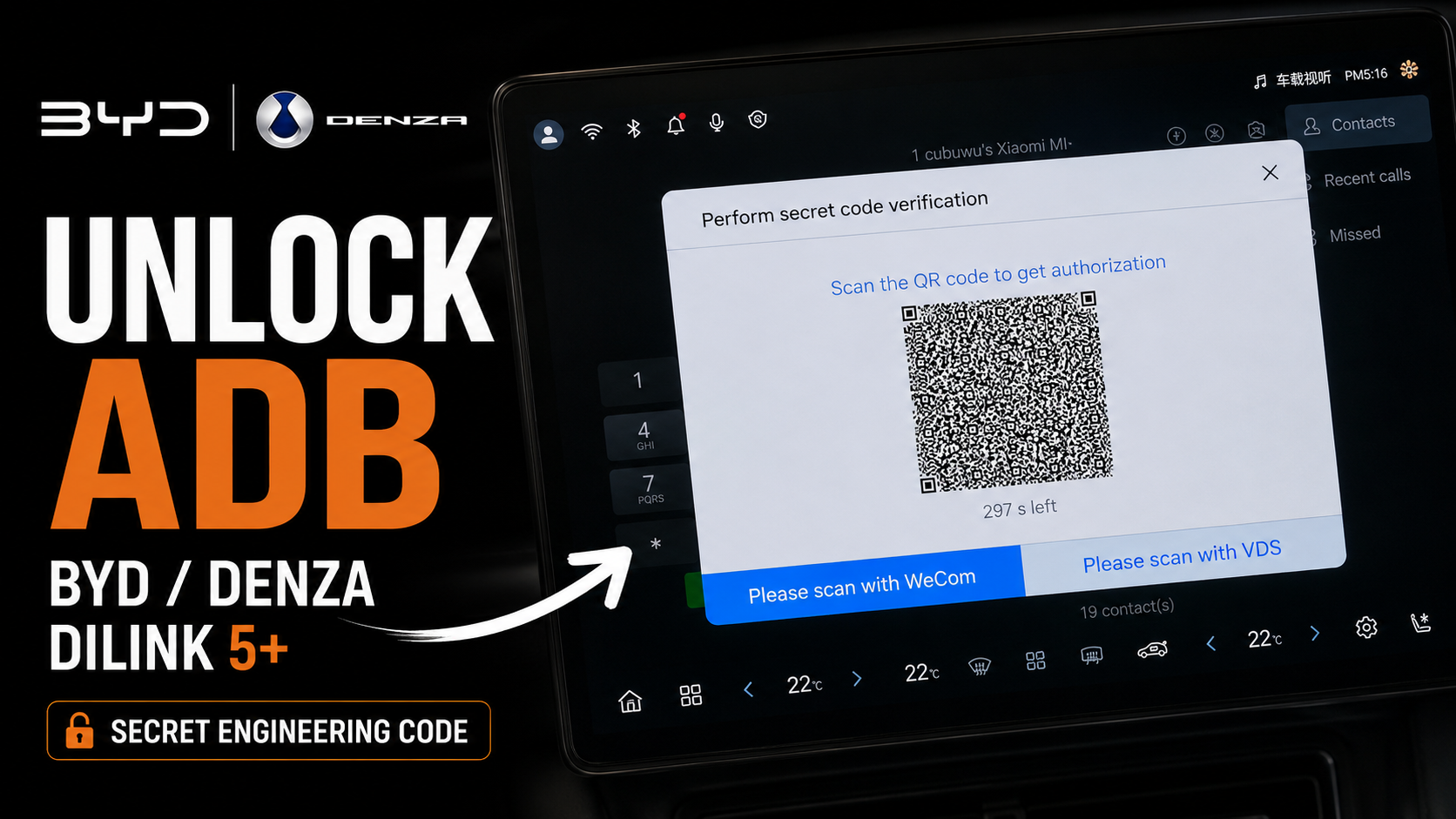
This is where most people get stuck. Here's how to access the hidden QR code page:
- Open the Bluetooth phone dialer on your infotainment screen (NOT the regular phone app — use the one in the Bluetooth settings)
- Enter the secret code: *#91532547#*
- Should automatically redirect — if not, check the code was entered correctly
- A hidden menu will appear
- You'll see a QR code on screen
Important: The QR code is only valid for 300 seconds (5 minutes). Once it expires, you'll need to regenerate it.
Step 3: Get the QR Code Scanned
This is the part that requires professional tools. The QR code needs to be scanned by BYD's diagnostic software.
Options:
- Use our service (recommended) — we scan the QR code remotely for $99 AUD. Takes 10 minutes. Get it unlocked →
- Visit a BYD dealer — some dealers will do this for free if you ask nicely
- Find a local technician — search for BYD service technicians in your area
What happens after scanning:
- The QR code gets authorized
- You gain access to "Factory Mode"
- Enable: "wireless adb switch" and "enable debugging mode after USB connection"
- ADB is now enabled on your vehicle
Step 4: Install Apps via USB
Once ADB is enabled, you can install apps via USB:
- Download the APK files you want to install (see our App Library)
- Copy them to a USB drive (FAT32 format)
- Plug the USB into your car's USB port
- Open the file manager on your infotainment screen
- Navigate to the USB drive and tap the APK file
- Allow installation from unknown sources if prompted
- Install and enjoy!
Step 5: Install Apps Wirelessly (Advanced)
For wireless installation, you'll need to enable wireless ADB:
- Connect your car to WiFi (home WiFi or mobile hotspot)
- Enable wireless ADB in the factory mode settings
- Open terminal/command prompt on your computer (no admin privileges needed)
- Use ADB commands:
adb connect [car-ip-address]:5555
adb install app.apk
How it works: adb connect links your computer to the car over WiFi. adb install sends the APK file from your computer to the car and installs it directly. The APK needs to be on your computer — no need to copy it to the car first.
Frequently Asked Questions
Q: Will this void my warranty?
A: It depends on your dealer. Some don't mind, others might flag it. We recommend asking your dealer first.
Q: Can I reverse the unlock?
A: Yes, you can disable ADB in the factory mode settings anytime.
Q: How long will the ADB authentication last?
A: Forever, until a factory reset is performed.
Q: Will it affect OTA updates?
A: OTA updates will not be affected. You will still receive the latest OTA updates. OTA updates generally will not affect ADB either.
Q: Is it safe?
A: The apps we recommend are safe and widely used in the BYD community. However, installing unknown APKs always carries some risk.
Q: What if I brick my car?
A: We are not responsible if you install a virus. Always run a security check on files downloaded from the internet.
Need Help?
If you get stuck at any step, we're here to help:
Email: hello@baolab.au
Ready to unlock? Get the ADB Unlock Service →